Week 3 Learning Journal
Week 3 Overview
Linux Fundamentals
- Graphical Interface:
- Interfacing system with graphical components.
- X Server:
- System component responsible for managing graphical output.
- GNU Core:
- Core components of GNU operating system, often used in Linux distributions.
- Linux Kernel:
- Core component of Linux operating system, responsible for communication between hardware and software.
- Hardware:
- Physical components of a computer system.
- Linux Distributions:
- Variants of Linux operating system such as Ubuntu, Debian, etc.
- Checked version using
lsb_release -a.
- System Calls:
- Mechanism for programs to request services from the kernel.
- Kernel Version Check:
- Used
uname -rto check kernel version.
- Used
- GNU Core Concepts:
- Fundamental concepts of GNU operating system.
- ls Command:
- Used for listing directory contents and its concepts and usage.
- Embedded Linux:
- Explored embedded Linux systems like Android and Raspberry Pi.
- Linux in the Cloud:
- Utilizing Linux in cloud environments, understanding regions, subnets, etc.
Development Languages
- Shell Script:
- Scripts written for command-line shells.
- Programming Languages:
- Bash, C, Java, JavaScript, Perl, Python, PHP.
Package Management Tools
- dpkg:
- Package management tool for Debian-based systems.
- apt-get:
- Command-line tool for handling packages on Debian-based systems.
Group Discussion Highlights
Boot Process
- Boot Types:
- Different methods of booting a system.
- MBR -> Bootloader -> GRUB:
- Sequence of loading boot process from Master Boot Record to bootloader to GRUB.
- LILO:
- Legacy bootloader.
- Runlevels:
- Different operating modes of a Unix-like system.
- Multiuser Mode (CLI Only):
- Operating mode allowing multiple users to access system via command line interface.
- Single User Mode:
- Operating mode with only one user, usually for system maintenance.
- Multiuser Mode Without Network:
- Operating mode with multiple users but without network access.
- Ctrl Alt -F1:
- Shortcut to switch to virtual terminal 1.
- sysV:
- Legacy system initialization and configuration framework.
- Init Scripts:
- Scripts executed during system boot process.
- Units in systemd:
- Basic building blocks of systemd initialization system.
- Targets:
- Collections of services and units managed by systemd.
Process Management
- Process Concepts:
- Understanding processes and their concepts.
- ps Command:
- Command to display information about processes.
- File System Concepts:
- Understanding concepts like inode, snapshots, etc.
- btrfs:
- File system supporting advanced features like snapshots.
- Tree Commands:
- Commands to display file system hierarchy.
- POSIX Standards:
- Set of standards defining operating system interface.
- du Command:
- Command to estimate file space usage.
- /usr/sbin Contains Important Items:
- Directory containing critical system binaries.
- /dev/sdc1 Commands:
- Commands related to disk partitions.
- htop, proc, top, free, lsof:
- Commands and tools for process and system monitoring.
- vimtutor Learn Vim:
- Tutorial for learning the Vim text editor.
Other Concepts
- Bricking of a Device:
- Rendering a device unusable due to firmware update or modification.
- OpenWRT:
- Open-source firmware used in routers.
Encryption and Decryption Techniques
Symmetric/Asymmetric Encryption
- Different types of encryption algorithms.
SSH (Secure Shell)
- Protocol for secure communication between networked devices.
SSL (Secure Sockets Layer)
- Protocol for secure transmission of data over the internet.
Blockchain
- Distributed ledger technology used in cryptocurrencies.
Keys
- Essential components in encryption algorithms for encrypting and decrypting data.
Plain-text vs Cipher-text
- Distinction between unencrypted and encrypted data.
History of Caesar Cipher and ROT13
- Ancient encryption techniques used in Linux for creating simple ciphers.
RSA 2048, ECC, D-H
- Different encryption algorithms and techniques.
Elliptic Core
- Core concept of elliptic curve cryptography.
GPG (GNU Privacy Guard)
- Encryption software for secure communication and data storage.
Man-in-the-Middle Attacks
- Cybersecurity attack where the attacker intercepts communication between two parties.
Digital Certificate
- Digital document used to authenticate the identity of a website or entity.
Wireshark
- Network protocol analyzer used for troubleshooting and analysis.
TTCP
- Tool for testing network performance.
Honeyport, Honeynet, Rewterz
- Cybersecurity techniques and organizations.
SSH Key (Private vs Public)
- Key pair used for secure SSH communication.
ROOTCA Key
- Root certificate authority key used in digital certificates.
Hashing, Checksum
- Techniques for verifying data integrity.
MD5, SHA256
- Hashing algorithms used for data integrity and security.
Rainbow Tables
- Precomputed tables used for reverse-engineering hashed passwords.
Files Paths Concepts
- Location of important files storing keys and user information in Linux.
Software like John the Ripper
- Password cracking tool used for security testing.
Sorting Concept
- Arranging data in a specific order.
Bcrypt
- Password hashing algorithm used for securely storing passwords.
md5sum, shasum
- Commands for generating checksums of files.
HSTS (HTTP Strict Transport Security)
- Security feature to force HTTPS connections.
Revocation List
- List of invalidated digital certificates.
TCP/IP 3-Way Handshake
- Process of establishing a TCP connection.
/etc/resolve.conf
- Configuration file for DNS resolver in Linux.
My Public Key:
I learned about GPG concepts, including generating, listing, editing metadata, and sending keys to a specific server. I tested encryption and decryption by encrypting a file and decrypting it with a colleague. I also explored cryptographic hashing algorithms like SHA and MD5, encrypting data, and verifying its integrity. Additionally, I learned about the shadow command and explored rainbow tables for password cracking.
GPG Cheatsheet used can be accessed here.
My public key can be accessed from here.
DNS (Domain Name System)
- System for translating domain names into IP addresses.
IPv4 vs IPv6
- Different versions of the Internet Protocol, with IPv6 offering a larger address space.
Range/Subnet
- Division of IP addresses into smaller networks for better management.
Private Subnets
- Reserved IP address ranges for private networks, such as 192.168.x.x and 10.x.x.x.
Public Subnets
- IP address ranges available for use on the public internet.
Loopback (127.0.0.1)
- Reserved IP address for communication within the same device.
Windows ipconfig
- Command-line utility for displaying network configuration information on Windows systems.
Ubuntu ifconfig
- Command-line utility for displaying network configuration information on Ubuntu systems.
IP Range Purchased
- Acquisition of a range of IP addresses for use in a network.
WhatIsMyIP
- Online service for determining the public IP address of a device.
Dynamic IP
- IP address assigned dynamically by a DHCP server, subject to change.
Route Tables
- Data structures used by routers to determine the path for forwarding packets.
IP Sharing Concepts
- Techniques for sharing a single public IP address among multiple devices in a local network.
UDP/TCP Protocol, Port 53
- Internet protocols used for transmitting data packets, with port 53 reserved for DNS.
BIND Server Implementation
- Implementation of the BIND (Berkeley Internet Name Domain) DNS server software.
A Record
- DNS record type that maps a domain name to an IPv4 address.
Recursive Resolver
- DNS server that resolves domain names by recursively querying other DNS servers.
Cloudflare 1.1.1.1 or 8.8.8.8
- Examples of recursive resolver DNS servers provided by Cloudflare and Google.
TLD (Top-Level Domain) like .com
- Highest level in the hierarchical Domain Name System, such as .com, .org, .net.
Root DNS Servers
- Servers responsible for the root zone of the DNS namespace, identified by letters A through M.
Request Flow
- DNS resolution process where requests start from root DNS servers and progress to authoritative DNS servers.
Caching
- Technique used to store DNS query results locally to improve performance and reduce query time.
Commands like dig, nslookup, host
- Utilities for querying DNS servers and retrieving information about DNS records.
DNS Record Types
- Different types of DNS records used for various purposes, including A, CNAME, PTR, MX, TXT, and AAAA.
DNS Zone Files
- Text files that contain DNS records for a specific DNS zone, including resource records and their details.
Load Balancing
- Technique used to distribute incoming network traffic across multiple servers to improve reliability and scalability.
Route53 Service, OpenDNS, Cloudflare
- Examples of DNS service providers offering DNS resolution and management services.
NS Record
- DNS record type that specifies the authoritative name servers for a DNS zone.
MX Record
- DNS record type that specifies the mail servers responsible for receiving email messages for a domain.
Email Spoofing, Open Relays, DMARC, SPF
- Security concepts related to preventing email forgery, protecting against spam, and verifying sender authenticity.
TTL (Time to Live)
- Setting in DNS records that specifies the duration for which cached DNS information can be considered valid.
DNS Poisoning, DNSSEC
- Security threats and protocols aimed at securing the DNS infrastructure against malicious attacks and tampering.
dnsmasq
- Lightweight DNS forwarder and DHCP server commonly used in small networks and as a caching DNS resolver.
Amplification Attack, IP Spoofing, SIG, TXT Record
- Techniques and DNS record types associated with DNS-based attacks and security measures.
AXFR
- AXFR (DNS Zone Transfer) is a DNS protocol extension facilitating the replication of DNS zone data from a primary to a secondary DNS server, enhancing redundancy and availability.
RFC OF DNS
- RFC: Request for Comments
- DNS: Domain Name System
- IETF: Internet Engineering Task Force
PINGORA
- PINGORA is a reverse proxy solution.
Summary and Concepts Explored:
- Explored the
ifconfigutility usingman ifconfigto find configured network interfaces. - Explored the routing table using
man routeor a special flag withifconfig. - Explored private subnet/ranges for IPv4.
- Investigated different types of DNS servers and their architecture using this article.
- Explored all supported DNS record types.
- Utilized the
digutility for DNS debugging. - Traced DNS queries using
digto identify connecting DNS servers. - Compared
nslookupwithdigby examining the nslookup man page. - Explored the usage of the
/etc/hostsfile. - Studied the RFC for the DNS protocol to understand technical implementation details.
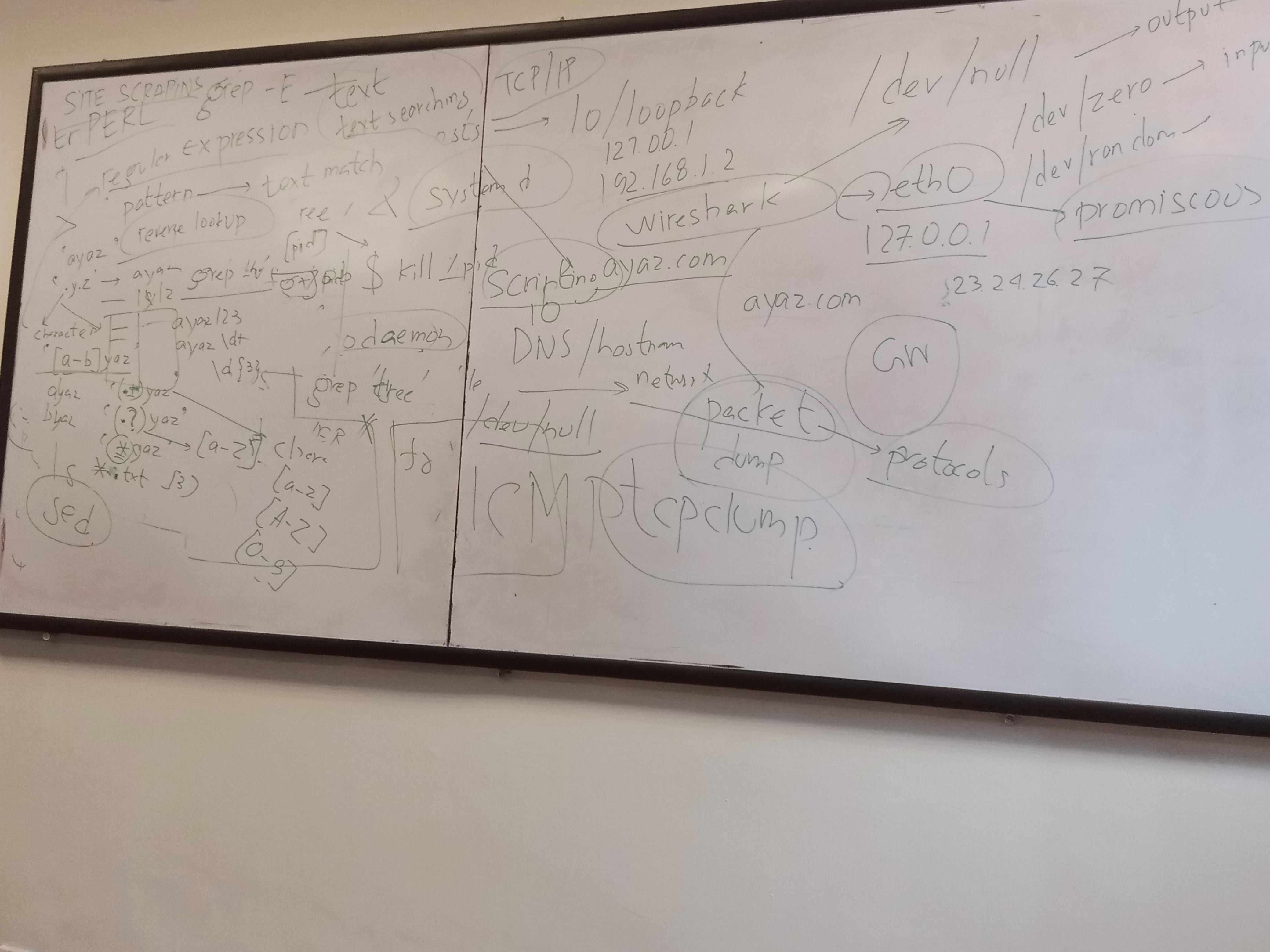
This is how group discussion look like:
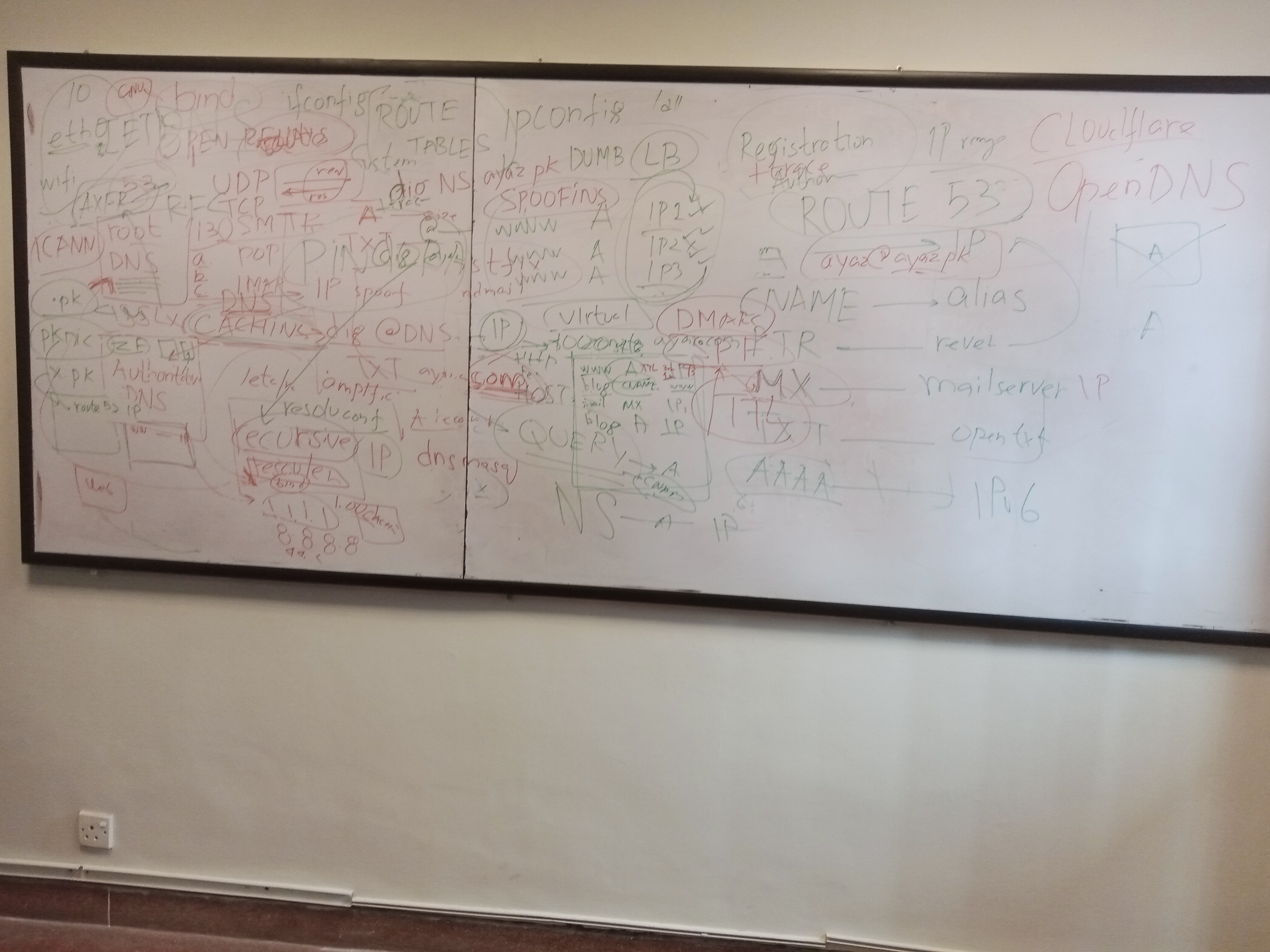
Discussion on Host Command
- Poor man’s DNS Resolver
- Located at /etc/hosts
/dev/null
- Used to dump output, commonly in shell scripting when output is not needed to be displayed
ls -l
- Command to list files and directories with detailed information
/dev/zero
- Device file that provides an endless stream of null characters
ping
- Utility to send ICMP echo request packets to a target host
traceroute
- Utility to trace the route taken by packets across an IP network
Wireshark
- Network protocol analyzer tool for capturing and analyzing network traffic
- Payload size discussed (e.g., 1250 bytes), TCP/IP packets
tcpdump
- Command-line packet analyzer tool for monitoring network traffic
Explored STDOUT, STDIN, STDERR
Redirection examples like ls > /dev/null, ls -sumama > /dev/null, ls grep ‘sumama’
Background Commands (&)
- Usage of fg, bg, cmd
man signal
- Manual page for signal handling in Linux
apt-get
- Package management tool for Debian-based Linux distributions
PID
- Process IDentifier used to uniquely identify a running process
Exit Code Status
- 0 for success, non-zero for failure
- Example: echo $? to check the exit code status of the previous command
kill pid
- Command to terminate a process by its PID
ps | grep ‘tree’
- Command to list processes and filter by name using grep
Daemon Concepts
- Background processes that continue running even after the terminal is closed
- Mentioned tools like nohup, nodedaemon
Alias
- Custom shortcuts for commands, discussed drawbacks like ll not working on the server side
strace
- Tool for tracing system calls and signals made by a process
Difference between # and $
- Symbolic meanings in the shell prompt, indicating root and regular user respectively
awk, sed, grep
- Text processing tools for pattern matching, text manipulation, and searching
- Regular expression usage discussed for text matching and scraping
Summary and Concepts Explored:
- Explored command redirection operators by referencing this section of the Bash manual.
- Investigated the usage of the pipe
|operator in commands, detailed in this section of the Bash manual. - Managed Linux commands using the
bgandfgcommands, as explained in this topic on Linux job control. - Referenced the man page for signals to identify signal numbers for kill, ctrl-C, and ctrl-Z events, as documented in the Standard signals section.
- Explored the
straceprogram for low-level system debugging. More information can be found on the homepage of the program. - Learned how to use
/dev/nullto discard output by sending it to a black hole. - Explored the usage of
/etc/hostsas a rudimentary DNS resolver. - Practiced writing regular expressions using resources like GeeksforGeeks and another tutorial focusing on JavaScript-related expressions.
This post is licensed under CC BY 4.0 by the author.